
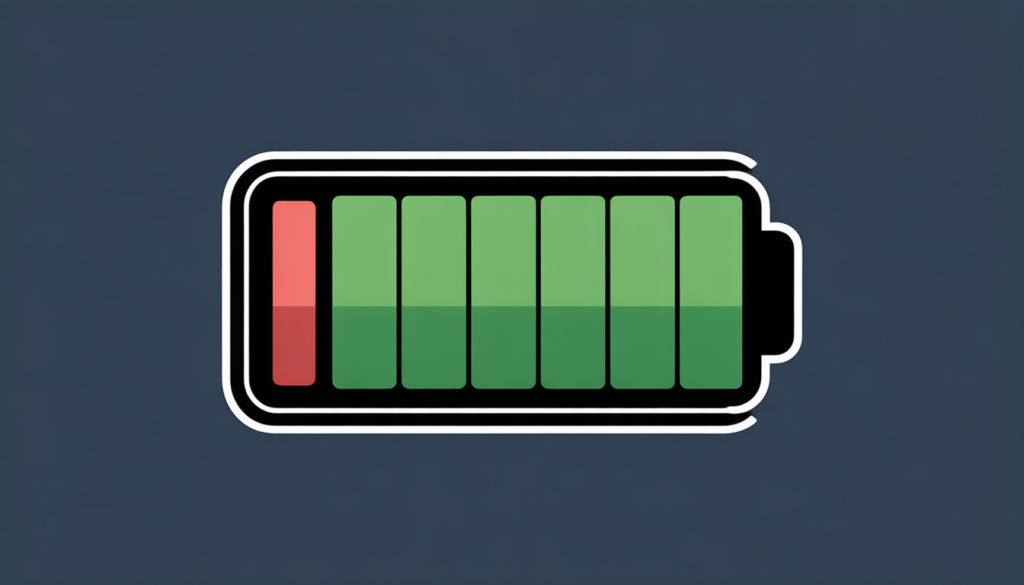
Battery drain is one of the most common problems smartphone users face in 2026. Even with advanced technology, many people complain that their phone battery does not last long. Fast battery draining can be frustrating, especially when you depend on your phone for work, communication, or entertainment.
The good news is that battery drain is often caused by simple issues that can be fixed easily. In this article, you will learn how to stop your battery from draining so fast in 2026 using practical, safe, and proven methods.
Table of Contents
Why Phone Batteries Drain Faster in 2026
Smartphones today are more powerful than ever. They run heavy apps, high-refresh-rate displays, AI features, and background services. All of these features consume battery power.
Common reasons for fast battery drain include:
- Background apps running constantly
- High screen brightness
- Poor network signals
- Old battery health
- Location and Bluetooth always turned on
- System updates and syncing issues
1. Reduce Screen Brightness and Display Settings
The screen uses the most battery power on any smartphone.
What You Should Do
Lower your screen brightness manually instead of keeping it on full brightness. Enable auto-brightness so your phone adjusts brightness based on lighting conditions.
Also reduce screen timeout. Set it to 30 seconds or 1 minute instead of longer durations.
If your phone supports a high refresh rate, switching from 120Hz to 60Hz can significantly save battery.
2. Turn On Battery Saver or Power Saving Mode
Most smartphones in 2026 come with advanced battery saver modes.
Benefits of Battery Saver
- Limits background activity
- Reduces visual effects
- Optimizes system performance
- Extends battery life during low charge
Use battery saver when your battery drops below 30 percent or when you know you will not have access to charging.
3. Stop Background Apps From Draining Battery
Many apps continue running even when you are not using them. These apps consume battery in the background.
How to Fix This
Check battery usage in settings and identify apps that drain the most power. Restrict background activity for apps you do not use frequently.
Uninstall apps that you no longer need. Social media apps, games, and shopping apps often use a lot of battery.
4. Update Apps and Phone Software Regularly
Outdated apps and system software can cause battery drain due to bugs and poor optimization.
Why Updates Matter
- Improve battery efficiency
- Fix performance issues
- Enhance system stability
- Reduce background errors
Always keep your phone updated to the latest stable version.
5. Turn Off Location, Bluetooth, and Wi-Fi When Not Needed
Location services are one of the biggest battery drainers.
Smart Usage Tips
Turn off GPS when not required. Avoid keeping Bluetooth and Wi-Fi on all the time. If you are not connected to a network, your phone keeps searching, which drains battery faster.
Use location access only for apps that truly need it.
6. Reduce Notifications and Syncing
Too many notifications wake up your phone screen repeatedly and use battery power.
What You Can Do
Disable notifications for unnecessary apps. Limit auto-syncing for emails, cloud storage, and social media.
Manually sync important data instead of allowing constant background syncing.
7. Use Dark Mode to Save Battery
Dark mode helps save battery, especially on phones with AMOLED or OLED displays.
Why Dark Mode Works
Dark pixels consume less power than bright ones. Using dark mode across system apps and social media can improve battery life.
8. Check Battery Health and Charging Habits
Over time, battery capacity decreases naturally.
Signs of a Weak Battery
- Phone drains quickly
- Sudden battery drops
- Phone heats up while charging
Avoid charging your phone to 100 percent all the time.
If your phone is older than two to three years, replacing the battery may be the best solution.
9. Disable Unnecessary Features and Animations
Many visual effects look good but consume extra power.
Features to Turn Off
- Live wallpapers
- Always-on display
- Unused widgets
- Motion effects and animations
Reducing animations also improves phone performance.
10. Avoid Extreme Temperatures
High heat and extreme cold damage battery health.
Battery Safety Tips
Do not leave your phone in direct sunlight or inside a hot car. Avoid using heavy apps while charging. Let your phone cool down if it becomes hot.
Temperature control helps extend battery life.
11. Reset Settings If Battery Drain Continues
If nothing works, a settings reset can fix hidden system issues.
When to Reset
- After major system updates
- If battery drain started suddenly
- When apps behave abnormally
Resetting settings does not delete personal data but restores system configurations.
Final Thoughts
Fast battery drain is a common issue in 2026, but it is not permanent. By adjusting simple settings, managing apps, and improving charging habits, you can significantly increase your phone’s battery life.
Most battery problems are caused by software settings rather than hardware. Regular maintenance, smart usage, and updated software can keep your battery healthy for a long time.
If your battery still drains quickly after trying all solutions, replacing the battery is often the most effective fix.
Best Phone for Vlogging Under 30,000 in 2026
FAQs – Battery Drain Problem in 2026
Q1: Why does my battery drain overnight?
Background apps, poor network signal, and syncing are common causes.
Q2: Does fast charging damage battery?
Fast charging is safe if you use original or certified chargers.
Q3: Is dark mode really useful for battery saving?
Yes, especially on AMOLED displays.
Q4: How long does a phone battery last?
On average, two to three years depending on usage.
Q5: Should I close apps to save battery?
Yes, unused background apps should be closed or restricted.



One Comment on “How Do I Stop My Battery From Draining So Fast in 2026? (Complete Guide)”